Link:
https://dannyman.toldme.com/2009/12/02/windows-7-ubuntu-first-impression/
So, I tried Windows 7 beta, and recently scored a copy of Windows 7 for my desktop PC, via employee discount. (I’d be willing to pay $50 for the OS, so $25 isn’t a bad deal. The again, Microsoft sent me some very large checks for my Tellme equity in 2007 so a very small Capitalist part of me is rooting for them.)
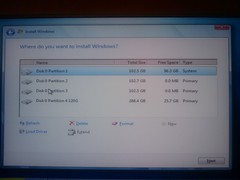
It is pretty nice: basically a refresh of Windows XP, with extra spit-and-polish. Zippier, too! It boots and shuts down faster than XP or Ubuntu, and manages OS updates without requiring my intervention and subsequently breaking things, like Ubuntu does. I was musing to my coworkers that if it had the following, I could switch from Linux:
1) A decent software packaging system.
2) Built-in Virtual Desktops.
3) Middle-button paste.
Boot/Shutdown Speed
I turn my computers off when I’m not using them. I like that Firefox will remember tab sessions. But waiting for an OS to boot is wasted time.
Despite recent improvements, Ubuntu still takes way too long to boot, and seemingly forever to shut down. Windows 7, by contrast, is pretty darn zippy. I like that!
Winner: Windows 7
System Updates
So, for the record, I’m thinking to turn off system updates on my Ubuntu environments, because they aren’t worth it and they keep breaking my stuff. I’ll just refresh twice a year when the new release comes out, therefor managing the pain of upgrades. Windows updates are more important, given the constant security threats. Fortunately, Windows does that for me without my noticing, save the stupid “I will forcibly reboot you in 5 minutes” thing that hasn’t hit me (yet?) on Windows 7.
Winner: Windows 7
Software Packaging
Windows seems to have made some improvements with software packaging, and I gotta say it is convenient to go to a web site, click on an installer, and a few minutes later have the application running. Of course, then there’s another icon on your desktop and the Yahoo! tool bar has been added to your web browser . . .
On Ubuntu, though, most of the time I go to a shell and type:
sudo aptitude install foo
And there I go!
Sometimes software isn’t available in the central repositories, but 9.10 has made adding some PPAs easier. And sometimes I go to a web site, click on a link to a .deb file, it downloads, the system asks for my password, and the software gets installed without leaving crappy toolbars in my environment. Victory!
Winner: Ubuntu
Virtual Desktops
Ubuntu’s Gnome interface would be nicer if I could drag windows to the side of the screen and they’d pop over to the next screen, like the fvwm2 pager. But, I’m pretty well content with Ubuntu’s virtual desktop ability.
You could probably install a decent hack on Windows 7 to get this, but really, virtual desktops and pagers should be built in.
Winner: Ubuntu
Command Line Environment
So, with Ubuntu I can fire off command shells with wild abandon and do what I need to do. (I’m a Unix system administrator, so I relate to computers mostly by typing commands and scripting.) Windows 7 has a new “PowerShell” feature that implements a few Unix commands. After half an hour of searching I discovered that you can get to the PowerShell by hitting Windows+R and then typing “powershell” — heck forbid we should put this in the start menu or make it available by searching for “shell” but okay . . .
With Ubuntu, I can highlight text by dragging and clicking my mouse. This is just like other environments, but instead of hitting control-C (or, ahem Open-Apple-C) to copy the highlighted text into your clipboard, and control-V (I mean, Command-V) to paste from your clipboard, with Unix, whatever you highlight goes straight to the clipboard, and you paste by tapping the middle mouse button.
That can be a little scary sometimes but once you get used to the convenience you really can’t go back to having to mouse and keyboard to cut and paste.
Once you figure out how to launch the PowerShell, you can not simply highlight text with the mouse. Seriously, WTF!? No, this is how you copy-and-paste stuff with PowerShell:
Hit Alt+Space to bring up the console menu, then type ‘E’ to bring up the ‘Edit’ menu and then ‘k’ to start copying or ‘P’ to paste the text in the clipboard to the console. In ‘copying’ mode, you just use the arrow keys while holding down the shift key to select text, and hit Enter to add the selection to the clipboard.
“Ah, hello, Microsoft? Yes, the 1980s called and they want their primitive user interface back. Thanks!”
Update: You can launch PowerShell is a window that supports text highlighting by dragging the mouse via Start > All Programs > Windows PowerShell > Windows PowerShell. It looks like you can copy highlighted text with control+C and paste with the right mouse button. (Getting closer, I guess!)
Winner: Ubuntu
Focus Follow Mouse
Down in the accessibility menu, there’s an option for “Activate a window by hovering over it with a mouse” . . . but checking that option doesn’t actually change the behavior . . .
. . . correction: it does. After some seconds it brings the window you are hovering over to front. No, I just want focus, not raise! Arrr! Ubuntu knows how to do this, with just a little checkbox.
Update: There are three ways to do this. The registry hack was my solution.
Winner: Ubuntu
Default Web Browser
I’ll give Internet Explorer some credit; I can type whatever crazy thing I want into the URL bar and the second it realizes I didn’t type a URL, it goes over to Bing. Nice!
But then the default behavior is to create new windows all over. Seriously: what is the point of tabbed browsing if you don’t put stuff in the tabs? The big fail though is that for whatever reason the WordPress HTML editor in Explorer keeps jumping up to the top of the text input window, which made working out this post a seriously annoying experience.
A quick install of Google Chrome and my web browsing experience not only interfaces well with WordPress and pops new windows into tabs, but I can type whatever crazy stuff I want into the URL bar and in a not-be-evil sort of way, it shunts me with due humility over to Bing. So, Chrome is my new default web browser for Windows 7. (And I’ll continue trying out Bing, even though I’m a Google fan-boy.)
Winner: Ubuntu
7 Comments
Link:
https://dannyman.toldme.com/2009/11/18/mutt-tag-prefix-cond/
I just added this to my .muttrc:
macro index Z '<tag-pattern>~f (cron\|nagios\|root)<enter><tag-prefix-cond><delete-message>'
Now if I hit shift-z, all the mail from cron, nagios, and root is marked deleted. If I’m feeling aggressive I can then hit x, which for me means “expunge” deleted messages. (I came from pine.)
Feedback Welcome
Link:
https://dannyman.toldme.com/2009/10/27/or-why-i-dont-care-about-snakeoil-salesmen/
Everyone is talking about Joel Spolsky, especially with his latest article.
Many appreciate what he has to say, but then again, he is basically articulating what we all know, and plenty figure that maybe his writing is no longer fresh, and he is just cranking out articles in order to shill his warez:
“This might be a neat opportunity to use Scrum. Once a week, the team gets together, in person or virtually, and reviews the previous week’s work. Then they decide which features and tasks to do over the next week. FogBugz would work great for tracking this . . .”
My position is that most stuff we read is mediocre, and Joel at least writes well, and Joel wears his ulterior motives on his sleeve, so when he starts figuring FogBugz can cure what ails CS curricula, I just figure “and now a word from our sponsors” and my brain hits the fast-forward button.
I think Tom actually has the best reaction to the issue Joel brings up, in that he adds that different people have different learning methods:
We all know there are students that are “visual learners”, “audio learners” and “kinesthetic” learners.
We all know what? Okay, yeah, and “everyone” is talking about this, right? Anyway, Tom, like me, is a learning-by-doing kind of guy who didn’t always “get” the formal CS curriculum:
When I took my undergraduate class on software engineering methodology I felt it was useless because I couldn’t see the point of most of what I was being taught. Most of my programming had been done solo or on a small team. I could not take seriously the problems that were being “fixed” by the software methodologies discussed in our lectures. “Code size estimation? Bah! Impossible, so why even try!”
In my CS days, the bits I enjoyed most were the learning-by-doing: compiling my first C program, bending my mind around recursion and functional programming to complete assignments in MIT Scheme, implementing a virtual spanning tree, and coming up on my own with the idea of a finite-state automaton to parse NWS weather forecasts. (Okay, that wasn’t a CS assignment and I didn’t know how to talk to girls.)
The parts where I fell completely flat were the theoretical classes where we considered bizarre hypothetical problems that didn’t make sense, using Greek letters that didn’t seem to have anything to do with reality. One day my ECE roommate asked how, as a CS major, I would go about sorting one million integers. My response was “why would you want to sort one million integers?” Later I slept through multiple lectures where the best methods of sorting integers were discussed at length. I skimmed the slides so I know that Quicksort performs well and in-place, but that Bubble Sort may work better if your data is mostly sorted, so in my mind that just means that if anybody asks how you would sort one million integers, the correct answer is to ask some questions as to why they need to sort one million integers.
Uh, yeah. Anyway, what was I nattering on about? Joel’s schtick is that CS students aren’t taught to manage large, complex, “real world” projects with lots of moving pieces. CS mostly focuses on the “interesting 10%” like how you would sort a million integers and skips over the boring 90% of hard work like implementing the interface for the customer to provide their million integers and retrieve the results. And Mark Dennehy’s reaction was “of course we focus on the interesting ten percent: the other 90% is constantly changing and best learned on the job!”
But, addressing the “how do you tackle big projects” thing, I think Joel has a point. And his point isn’t new. The point is extra-curricular activity.
Whether you’re a visual learner or whatever, the biggest secret to learning things is to find the thing that you are studying interesting. The very best computer programmers are all fucking fascinated by the challenge of getting the computers to do things within given parameters. Computer programming is fun because when you get down to it, it is a lot like computer games: a person at the interface banging away until they get their dopamine fix by either beating the level boss or getting the damn thing to compile and spit out the correct result.
Well, that is for the learning-by-doing types. Some computer programmers get their jollies by trying to fathom a new and novel method of sorting one million integers. Whatever floats their boat, I guess.
Anyway, long story short, I’m thinking the learning-by-doing types tend to get a little queasy after a few CS theory classes and end up majoring in English in order to score a bachelors degree, but they keep tinkering with the computers along the way, and end up, like Tom and me, as systems administrators, figuring out the best way to keep 1,000 computers running in order to make it possible to sort billions of objects with map-reduce algorithms in constant time.
Oh yeah, and that I agree with Joel that motivated CS students ought to find non-class projects that they are passionate about, and thereby gain chances to collaborate with others on the sort of “real world” challenges that they are likely to face in their professional careers. Back at Illinois the ACM played a big role in this. I myself did some time apprenticing at NCSA and at an ISP, and the big win these days it would seem are the oodles of Open Source projects ready to put interested volunteers to work. And that’s why Google’s “Summer of Code” just sounds like a fantastically great idea.
1 Comment
Link:
https://dannyman.toldme.com/2009/09/28/howto-ubuntu-xvidcap-audio-support/
XVidCap is a very nice screen-capture program for Linux. I have been dabbling in it to capture video of my desktop.
Unfortunately, the binary offered by Ubuntu’s software distribution has audio disabled. I found a bug about that somewhere and added my two cents, then went and installed it manually. Then I had to reinstall it manually because the Ubuntu version had been bumped and the “newer” version replaced my audio-supporting version.
Step 1: Remove Existing xvidcap
sudo aptitude remove xvidcap
Step 2: Install XVidCap from SourceForge
http://sourceforge.net/projects/xvidcap/ — click “download now” and the rest is all point-and-click.
Step 3: Lock XVidCap Version
Ubuntu will be quietly bide its time until it can “upgrade” xvidcap to a version that doesn’t support Audio. Fortunately, you can tell it not to do that!
Open: System > Administration > Synaptic Package Manager
Search for “xvidcap”
Select the package, go to the Package menu and select “Lock Version”
(From what I can tell, sudo aptitude hold won’t actually prevent xvidcap from being “upgraded.”)
14 Comments
Link:
https://dannyman.toldme.com/2009/09/09/firing-off-ssh-commands/
This is more for my own reference, because there are some broken rc scripts that don’t detach the PTY correctly, which can be really aggravating if you’re starting or stopping multiple daemons on multiple servers.
1-7:45 djh@opshost ~> cat .ssh/config
StrictHostKeyChecking no
BatchMode yes
KeepAlive yes
That KeepAlive yes is more for my interactive sessions. but here’s the real mojo:
ssh -f user@server command
I can add an & if I like . . .
Feedback Welcome
Link:
https://dannyman.toldme.com/2009/08/14/optimum-triple-play-crazy-fast/
Here in New York I signed up for Optimum Triple-Play: I get cable, Internet, and phone from the local cable company. The Speakeasy Speed test says:
Download Speed: 12988 kbps (1623.5 KB/sec transfer rate)
Upload Speed: 2039 kbps (254.9 KB/sec transfer rate)
Twelve megabits?! That is a lot of bandwidth. So much so that my old 802.11b local wireless network will actually have less bandwidth than my uplink. Gadzooks!
And the cable comes with some HD channels to watch on our CRT, and a crude DVR which can record shows on multiple channels simultaneously. Not bad, I suppose, for a tad over $100/mo. Yeah, and free long distance, so I gotta start calling up relatives again.
Feedback Welcome
Link:
https://dannyman.toldme.com/2009/08/05/mutt-selecting-old-messages/
This is a note-to-self, since every so often I do this and each time I have to RTFM:
To select messages in a folder older than two months, it is:
~d >2m
Or, given my key-bindings:
T~d >2m
;d
Feedback Welcome
Link:
https://dannyman.toldme.com/2009/07/16/airhowa-png/

Virgin America has wireless access on its flights. For $13 you get enough bandwidth to video conference. It was fun.
I tried not to talk too much or too loudly from my seat. To be sure, everyone on Virgin America is pretty much immersed in their personal entertainment anyway so its not so much of a thing.
(Thanks, Todd, for the screen capture.)
Feedback Welcome
Link:
https://dannyman.toldme.com/2009/07/10/wfa-work-from-air/
I’m flying to New York. Fortunately, I needn’t lose a work day because for $15, Virgin America has got me on the Internet!
It is zippy enough, and the latency is perfectly fine, so I am guessing it is a terrestrial network. VPN works fine, too.
http://www.speakeasy.net/speedtest/
Last Result:
Download Speed: 964 kbps (120.5 KB/sec transfer rate)
Upload Speed: 337 kbps (42.1 KB/sec transfer rate)
It is a bit cramped, for sure. Fortunately, my Dell Mini 10 arrived yesterday, with Ubuntu pre-installed. (Vendor Linux!) I hope to write more about that later, but this is a zippy little thing that is probably about as usable as you’re ever going to get in a coach class airplane seat. Yay!
Virgin claim to have power plugs at each seat. I haven’t seen mine, but given the battery life this thing claims, I shouldn’t need to plug in for the duration of this continental crossing.
That looks like . . . Nevada. No . . . we’re above US Route 6 in Utah. 2112 miles to go. That’s another thing I dig about Virgin America: an interactive map at the seat terminal, and an adjustable headrest, which Southwest lacks . . .
Well, this is a work day, better get back to working.
Feedback Welcome
Link:
https://dannyman.toldme.com/2009/07/04/snapshot-my-e-mail-archive/
0-14:22 djh@ratchet ~> ls -lh mail/archive-*
-rw-------  1 djh  djh    18M Jun 14 17:17 mail/archive-1997
-rw-------  1 djh  djh    29M Jun 14 17:16 mail/archive-1998
-rw-------  1 djh  djh    18M Jun 14 17:13 mail/archive-1999
-rw-------  1 djh  djh    26M Jun 14 17:13 mail/archive-2000
-rw-------  1 djh  djh    25M Jun 14 17:11 mail/archive-2001
-rw-------  1 djh  djh    18M Jun 17  2004 mail/archive-2002
-rw-------  1 djh  djh    25M Jun 14 17:09 mail/archive-2003
-rw-------  1 djh  djh    15M Jun 14 17:08 mail/archive-2004
-rw-------  1 djh  djh    63M Jun 14 17:05 mail/archive-2005
-rw-------  1 djh  djh   202M Jun 14 16:54 mail/archive-2006
-rw-------  1 djh  djh   362M Jun 14 18:06 mail/archive-2007
-rw-------  1 djh  djh   202M Jun 14 19:17 mail/archive-2008
I recently went through, and using mutt’s date-range filters, revised my e-mail archives, most notably saving messages stored in Gmail into these annual mbox archives.
I think it was around late 2005 that I started using Flickr, so the ramp up in sizes is pictures being e-mailed from mobile devices.
I delete most e-mail that I receive, but I pretty much archive all personal correspondence, and anything I send.
Also, I was disappointed that when I tried to copy archival messages into Gmail, via IMAP, Gmail would interpret the message date as the date it was copied in to the archive, and not the date the messages was created. That was disappointing. I like Gmail’s search capability, so it would have been nice to give it access to my corpus.
Mainly though, I dig Gmail’s interface, especially while traveling. But I recently got mutt running again because it is a much faster way to step through an Inbox and delete / reply / Archive than clicky click web interface. If only I could give it access to my Gmail contacts . . .
March 1997 was when my server hard drive crashed, and after that I began to take disaster recovery more seriously.
1 Comment
Link:
https://dannyman.toldme.com/2009/06/17/adsense-suspended/
Back in 2005, Marissa Mayer, VP of Search Products & User Experience at Google, stated:
“There will not be crazy, flashy, graphical doodads flying and popping up all over the Google site. Ever.”
Apparently Google lacks the same sort of respect for the web sites of its AdSense customers, because they started putting animated advertising on my site.
“Say it aint so.”
According to Google’s “self-service tech support” there is no way to turn them off, short of reverting to text-only ads.
This is wrong on a few levels. And I’m not sure if Google is just being its regular sloppy self or if they are getting desperate for revenue such that they’re finding more wiggle room in the “don’t be evil” philosophy.
Whatever is going on down in Mountain View, I will just get along without the $10/mo or so I’ve gotten from AdSense revenue.
Feedback Welcome
Link:
https://dannyman.toldme.com/2009/06/17/spam-honorable-mention/
I hate spam at least as much as the next guy. Heck, fighting spam is my day job. But I just gotta say, this little guy who made it through the Gmail spam filter this morning just made me smile:

Feedback Welcome
Link:
https://dannyman.toldme.com/2009/06/11/howto-python-feedparser-twiki-rss/
To make up for my snarkiness in my last post . . . it is an easy matter of fetching the WebRss node from Twiki and running it through the Universal Feed Parser:
# Twiki RSS Feed
twiki_rss_url='http://localhost/twiki/bin/view/Main/WebRss'

import feedparser
import time
import calendar

# http://www.feedparser.org/
d = feedparser.parse(twiki_rss_url)

for e in d['entries']:
    # e.updated_parsed = tuple UTC
    # calendar.timegm = seconds UTC
    # time.localtime = tuple locale
    print time.strftime("%Y-%m-%d %H:%M",
            time.localtime(calendar.timegm(e.updated_parsed)))
    print e.rdf_value # Author
    print e.title
    print
1 Comment
Link:
https://dannyman.toldme.com/2009/06/11/i-hate-twiki/
Seriously, WikiWords are the dumbest idea for marking a link to a document node. But when you generate HTML that looks like this, you are doing it wrong:
<body class=”patternViewPage”><a name=”PageTop”></a>
<div id=”patternScreen”>
<div id=”patternPageShadow”>
<div id=”patternPage”>
<div id=”patternWrapper”><div id=”patternOuter”>
<div id=”patternFloatWrap”>
<div id=”patternMain”><div id=”patternClearHeaderCenter”></div>
<div id=”patternMainContents”><div class=”patternTop”>
<div class=”patternToolBar”>
<div class=”patternToolBarButtons”>
I mean, that just means that you have gone batshit insane.
Anyway, back to learning how to parse information from HTML documents using Python . . .
Feedback Welcome
Link:
https://dannyman.toldme.com/2009/05/07/save-tesla-get-art/

Public Domain from teslasience.org
Are you a fan of Nikola Tesla? His last remaining laboratory, Wardenclyffe, on Long Island, where he had ambitions of developing a worldwide network of free electrical power, is threatened with sale and demolition. The Tesla Science Center at Wardenclyffe, a would-be museum, wishes to purchase, preserve, and museum-ify the land. They’ll accept donations via personal check. This random lady on Livejournal will accept donations on their behalfonline casino via PayPal, write a check, and for donations in excess of $20, she will draw you a picture of Nikola Tesla, “to your PG-rated specifications” and mail it to you.
(Thanks, beatonna!)
Update: Andrew suggested this crucial documentary on Nikola Tesla.
3 Comments
« Newer Stuff . . . Older Stuff »
Site Archive